
The Dashboard is the place where you can create new retrospective sessions, see those that are in progress to join then, see your action items, your history of completed sessions, and even archive sessions.
The Dashboard is divided in two tabs:
-
Retrospectives Dashboard
-
Session History
Here you can learn more about each tab and their sections:
Retrospectives Dashboard tab
Sessions in Progress
New sessions and sessions in progress appear in this section of the Dashboard.
For each session you can see the following:
-
Name of the session - Click on it to join the session
-
Tags - Tags help you identify the session.
-
Status - The current step of the session
-
Date it was created
-
Moderator - The person who has permissions to lead the session
-
Join button - Click on it to join the session
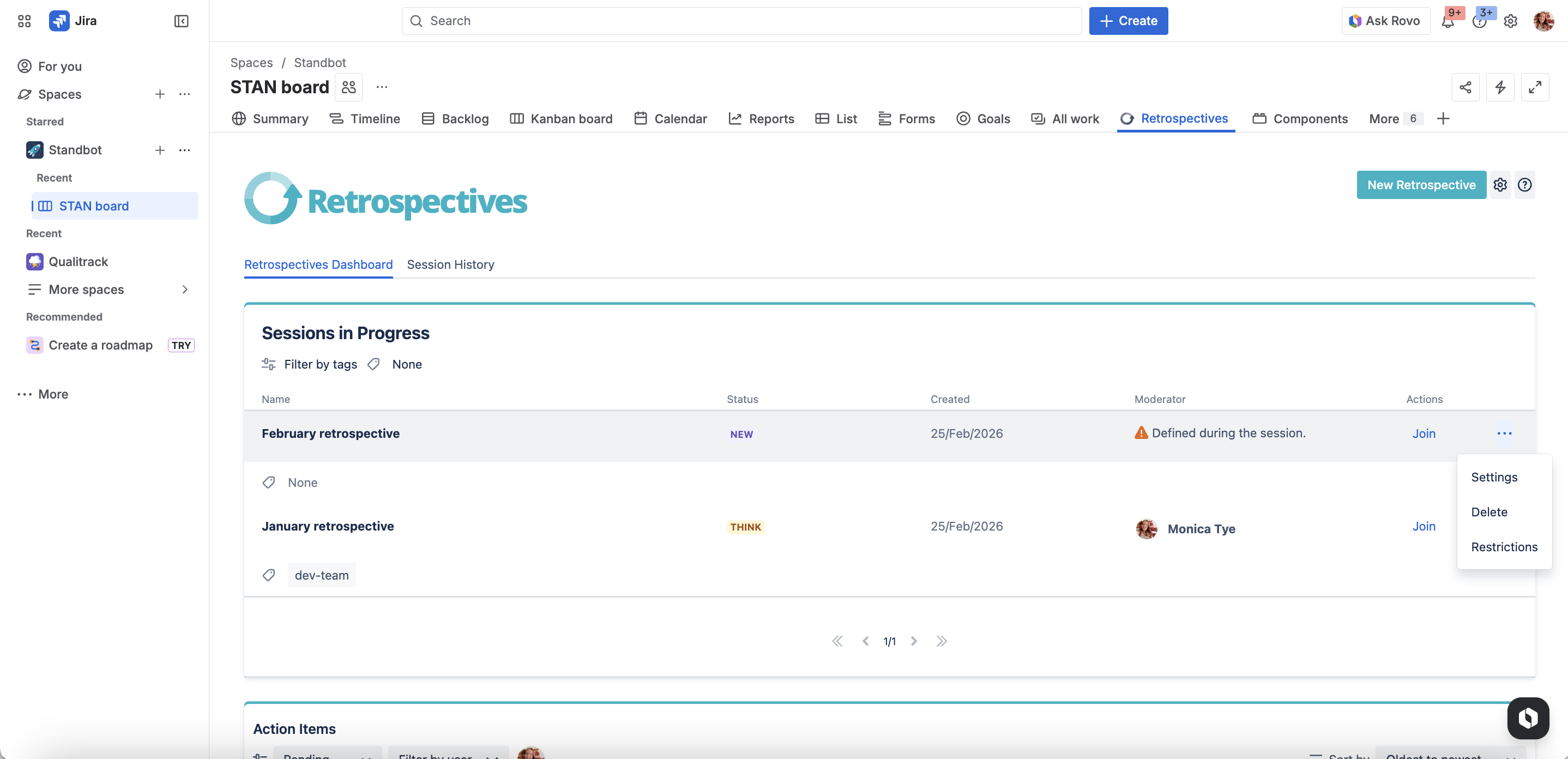
Additionally, the retrospective creator, moderator, and other roles can see and perform the following options:
-
Settings - Opens the session’s settings so you can edit it
-
Delete - In case you want to delete the session
-
Restrictions - To limit who can see and join the session.
Action items
This section helps you easily keep track of your action items and those of your team to make sure you’re on the right track and keep everyone up to date on their progress.
Filtering action items
By default, you will see any Pending action items that assigned to you, but you can filter action items by:
-
Status
-
Assignee
-
Sort them by date
Follow-up on action items
You can update the actions items to reflect their status by:
-
Marking them as done or undone
-
Reassigning them
-
Clicking on See more to visit the retrospective session where they were generated
Sessions History tab
You can find all your completed retrospectives in this section.
Completed Sessions
For each session you can see the following:
-
Name of the session - Click on it to visit the session’s summary
-
Tags - Tags help you identify the session.
-
Date the session was originally completed
-
The number of action items generated in the session
-
The number of action items that are still pending completion
-
Archive button - Certain roles can choose to archive retrospective sessions
Archived Sessions
Archived sessions can only be viewed and/or restored by Jira admins.
Next Steps
Learn how to create your first retrospective session.