
Agile Retrospectives for Jira runs directly inside your spaces/projects.
To locate the app, follow the instructions below based on your Jira hosting type (Cloud or Data Center).
Finding the app in Jira Cloud
-
Go to the Jira space where you want to run the retrospective session
-
On the horizontal space navigation, click on More
-
Locate the Retrospectives button and click on it to open the app.
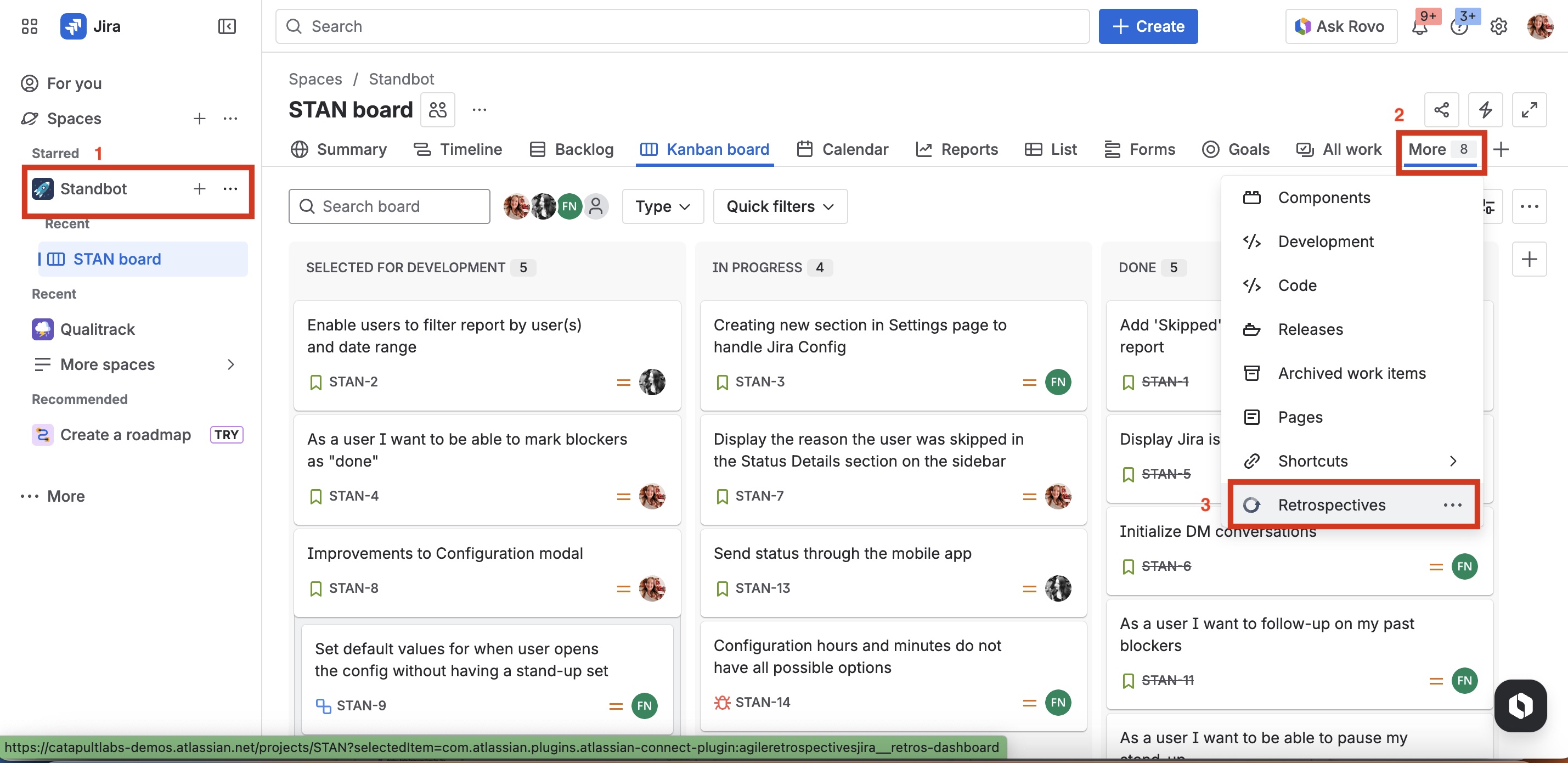
Space admins can drag and drop the Retrospectives button/tab to their preferred spot on the horizontal space tabs for quicker access.
You will now see the Dashboard of the app.
Finding the app in Jira Data Center
-
Go to the Jira project where you want to run a retrospective session
-
In the Jira Project sidebar, locate the Retrospectives option and click on it.
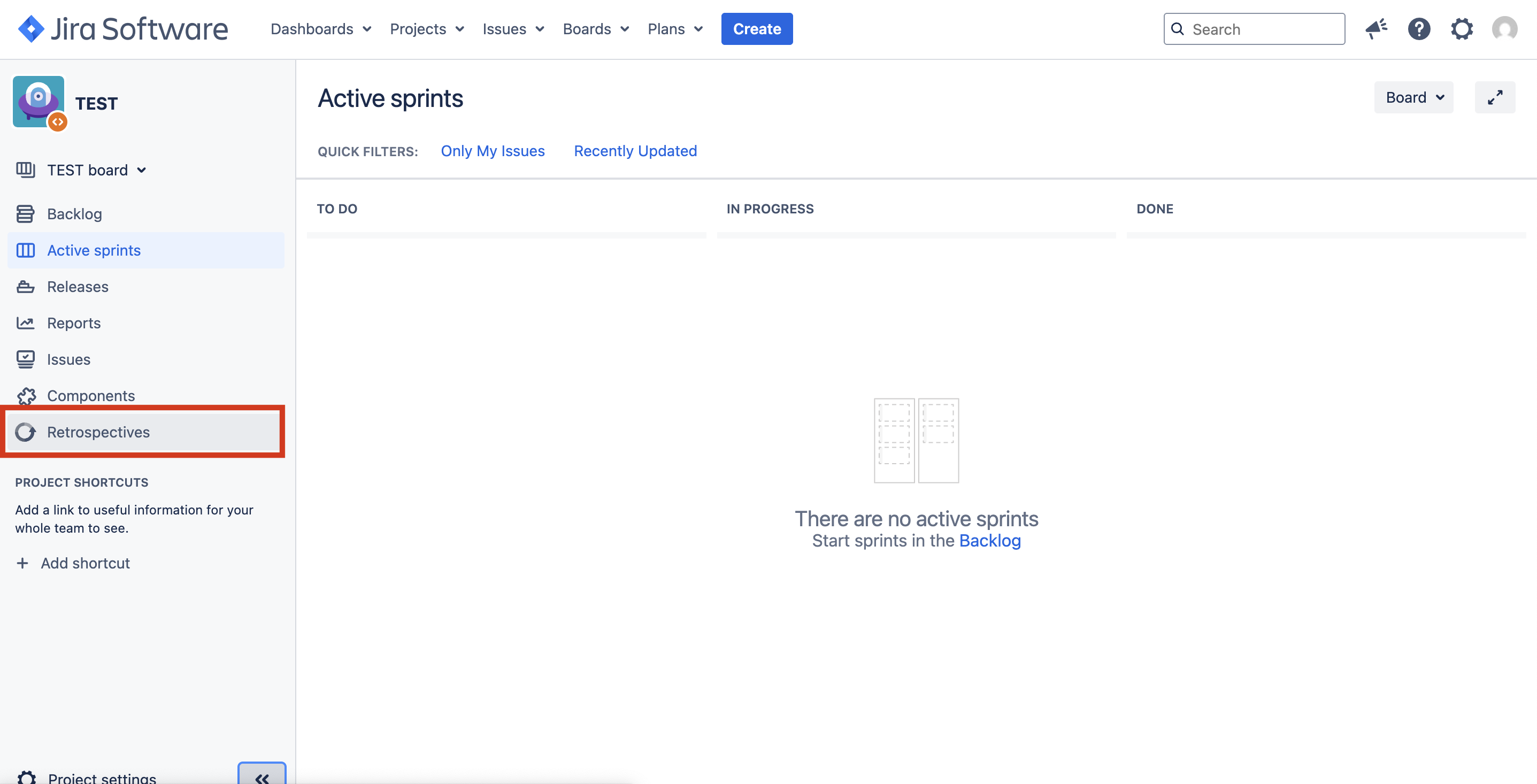
You will now see the Dashboard of the app.
App seems to be missing?
If the app is installed, but it is not visible in your project or space, it might have been disabled by a Jira admin.
Jira admins can enable/disable the app on a project basis. Learn more.
Next Steps
Get familiarized with the Retrospectives Dashboard and create your first session.