
Follow these steps to create a retrospective session:
-
Go to the Jira Space/Project where you want to host the retrospective.
-
Open the Retrospectives app. For help on locating the app, see this guide.
-
In the Dashboard, click on New Retrospective.
-
Select From Scratch to setup your session
-
Select From Template if you want to create a session from a saved template.
-
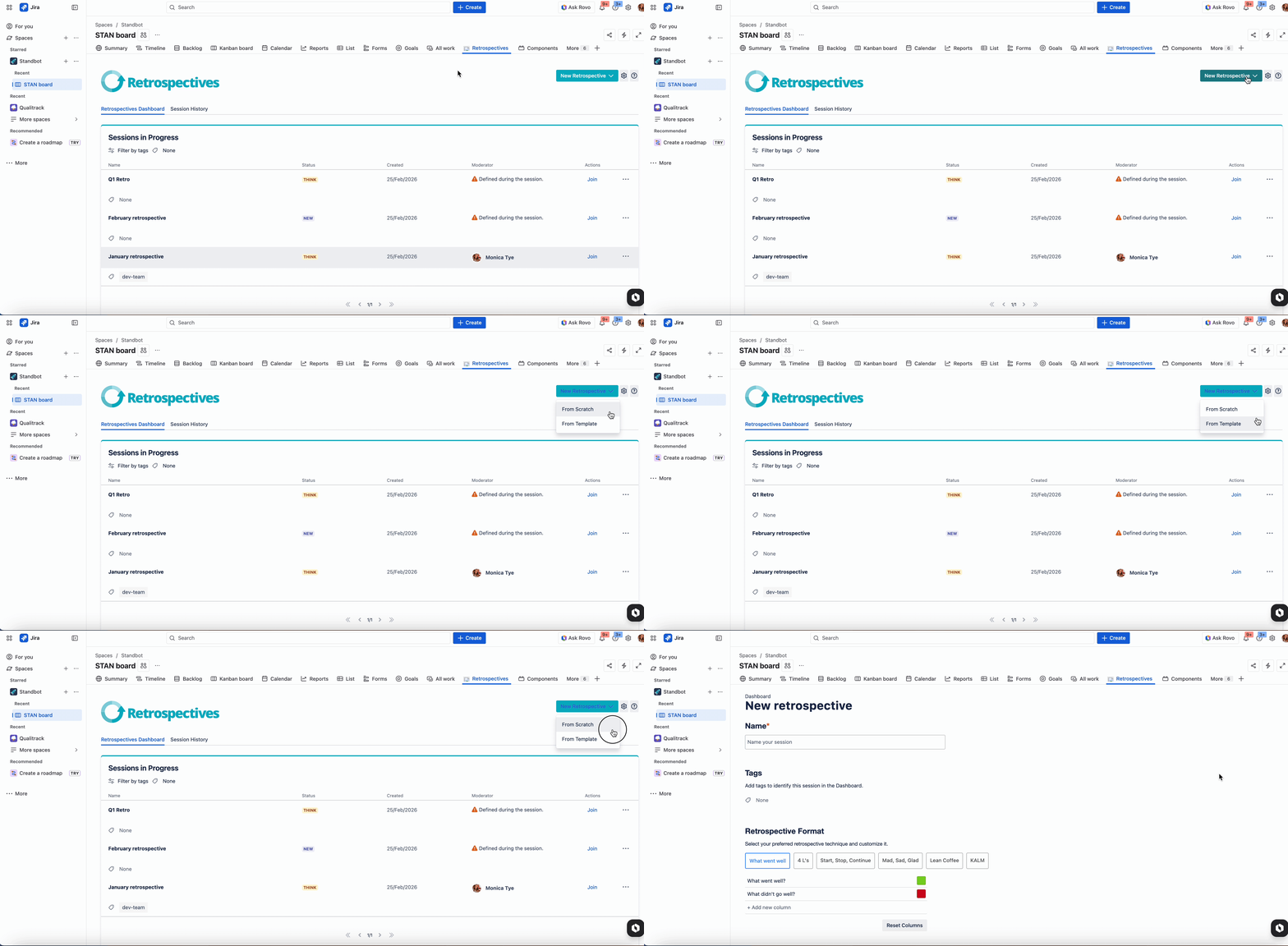
Note: If no templates have been created, the options when clicking on the New Retrospective button. are not displayed
-
Fill out the retrospective setup
-
Click on Save to create your session and see it displayed on the Sessions in Progress section of the Dashboard.
Next Steps
Learn more about customizing your retrospective setup and creating templates.