
To disconnect your current Bitbucket account from GitLinker, go to Apps in Jira and under the “Apps” section in the sidebar menu locate “GitLinker Configuration”.
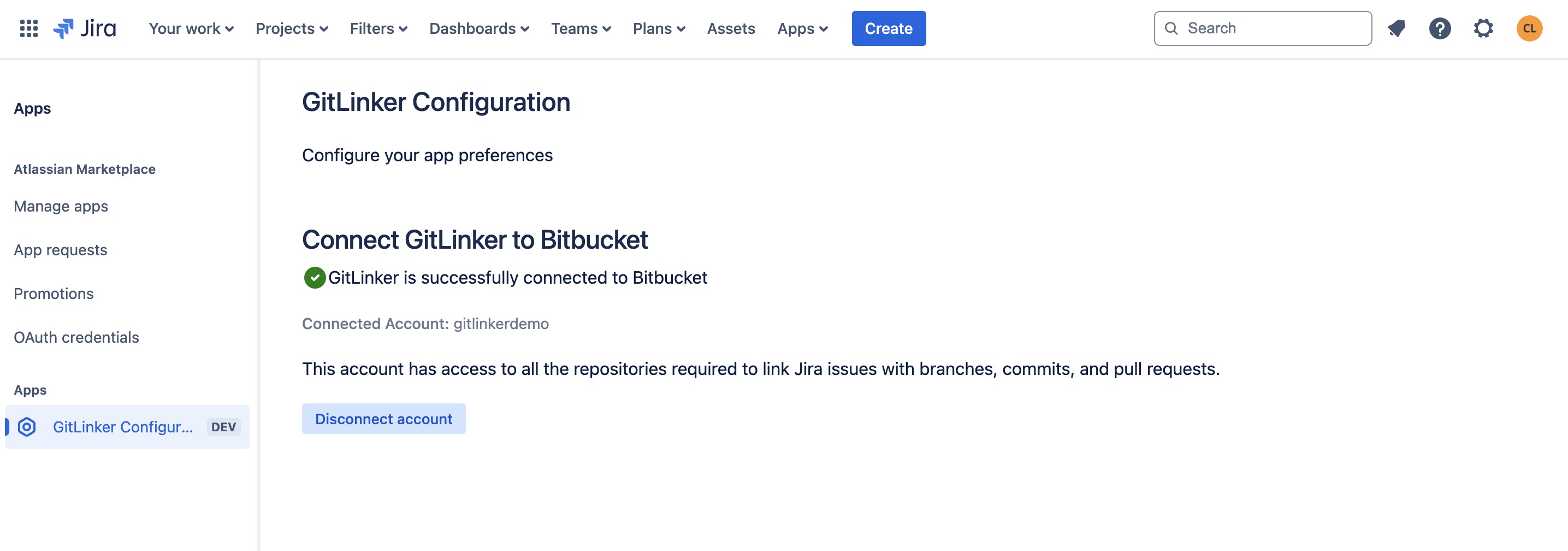
Click on the “Disconnect account” button.
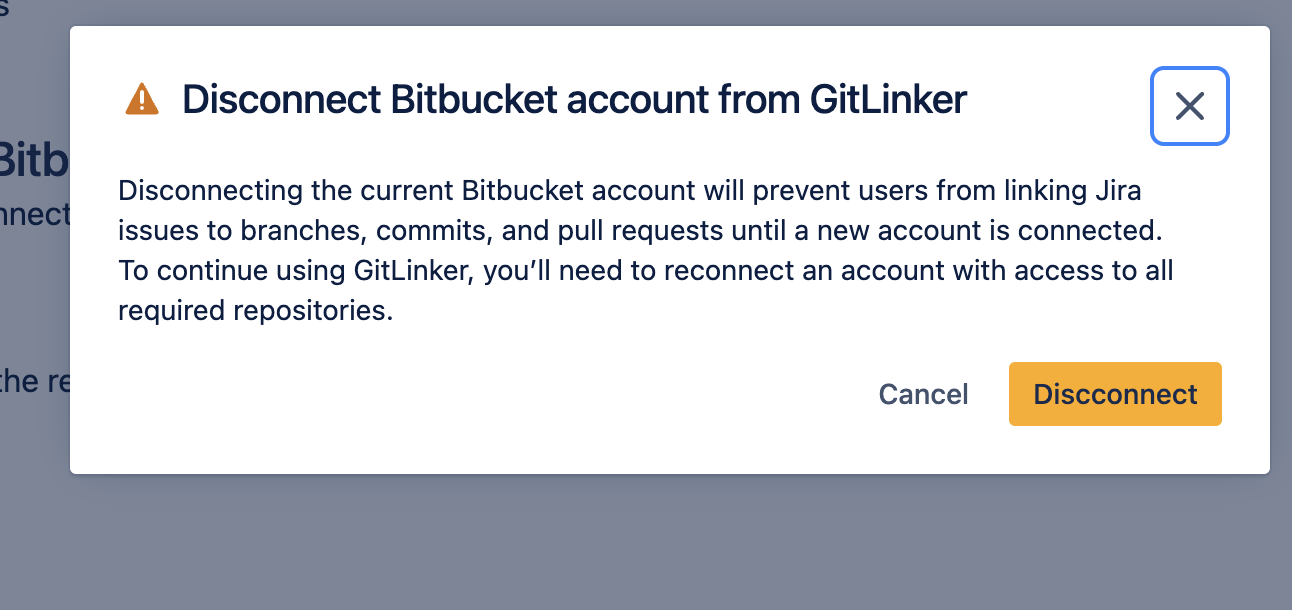
You will see a confirmation modal. Click Disconnect to proceed.
You’ve successfully disconnected the Bitbucket account. To connect it again, or connect a different once, follow the steps detailed in “Configuring the app | Connecting GitLinker to Bitbucket “.