
Release date: [add at launch]
First release 🚀
Welcome to the first release of Task Boards for Confluence. Organize your team's work with visual boards, right inside your Confluence pages.
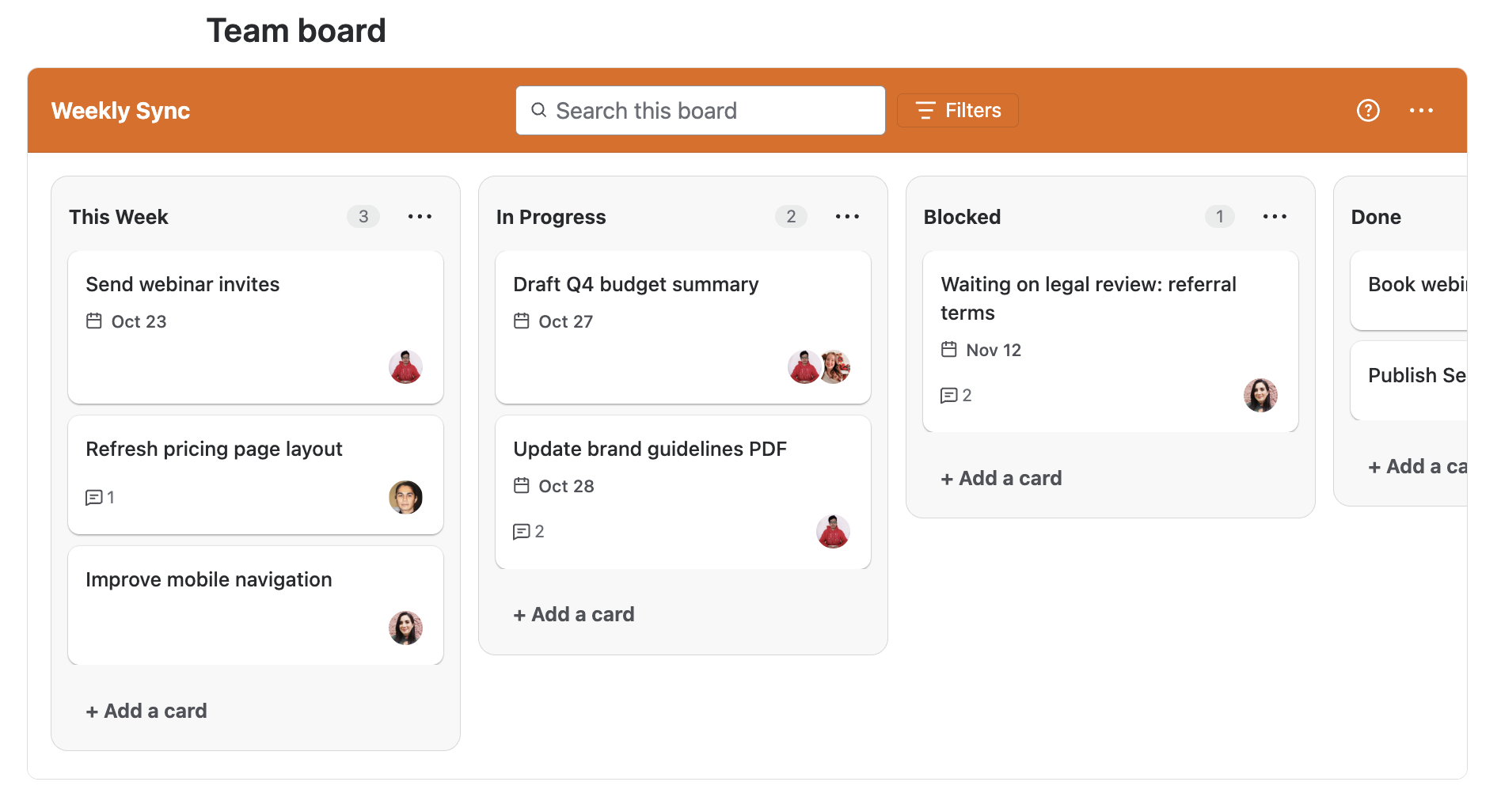
Boards
-
Insert a board on any Confluence page with the Task Boards macro, and choose its name and color during setup. Creating a board
-
See a placeholder in place of the board while the page is still unpublished. Creating a board
-
Start from an empty state: when a board has no lists, add your first one with + Add a list. Working with lists
-
Change the board color at any time from the board menu. Board overview
-
Get help without leaving the board: the ? menu links to the User Guide, technical support, feature suggestions, a feedback call, and these release notes. Board overview
Lists
-
Create lists, rename them by clicking the title, and reorder them with drag and drop. Working with lists
-
See how many cards each list contains. Working with lists
-
Archive a list together with its cards from the list menu. Archiving and restoring
Learn more: Working with lists
Cards
-
Add cards to any list, one after another. Working with cards
-
Reorder cards within a list, or move them between lists, with drag and drop. Working with cards
-
Open a card in a window to see and edit its details. Card details
-
Find cards quickly: search the board by card title, or filter it by assignee. Searching and filtering a board
Learn more: Working with cards
Card details
-
Edit the card title and add or edit a description. Card details
-
Assign one or more members to a card. Card details
-
Set, change, or remove a due date. Card details
-
Share a card: copy a link to it with the Share action. Card details
Learn more: Card details
Comments
-
Add comments to a card to discuss work with your team. Comments
-
Edit or delete your own comments. Comments
Learn more: Comments
Archiving and restoring
-
Archive a card from its details window. Archiving and restoring
-
Open Archived items from the board menu to see archived lists and cards, and search them by name. Archiving and restoring
-
Restore archived lists and cards, and bring them back to the board. Archiving and restoring
Learn more: Archiving and restoring
Known limitations
-
Copying a page that contains a board: if you copy a Confluence page that has a Task Board, the Task Boards macro on the copied page displays an error. The board is not duplicated.